

5 Best Wave Alternatives for Service Businesses (With Built-In Time Tracking)

Daniel Zvi
 8
8
If you're a growing business owner who's frustrated with Wave because its basic cash-flow reports fail to provide deep departmental insights or multi-entity tracking, the best option right now is QuickBooks Online — it offers customizable, investor-ready financial reporting and advanced tracking features that scale seamlessly alongside your revenue.
TL;DR
- Sage — Best for established B2B corporations: Sage delivers granular financial controls and deep multi-ledger audit trails required for strict regulatory compliance.
- NetSuite — Best for enterprise-level operations: NetSuite consolidates multi-entity financials, supply chain metrics, and corporate data into a unified cloud ERP system.
- Square Invoicing — Best for mobile service operators: Square Invoicing bridges the gap between digital billing and live, in-person card payments without monthly software subscriptions.
- Xero — Best for international digital teams: Xero calculates foreign currency gains and losses automatically using live exchange rates updated every single hour.
- FreshBooks — Best for client-focused agencies: FreshBooks converts logged project hours directly into branded client invoices to eliminate manual data entry.
- Striven — Best for mid-market service firms: Striven unifies double-entry accounting with a built-in CRM, project schedules, and live inventory allocation tools.
- QuickBooks Online — Best for scaling small companies: QuickBooks Online integrates industry-standard general ledgers with automated payroll systems that professional CPAs expect.
Is Sage a Good Wave Alternative for Established B2B Corporations?
Who is Sage actually for?
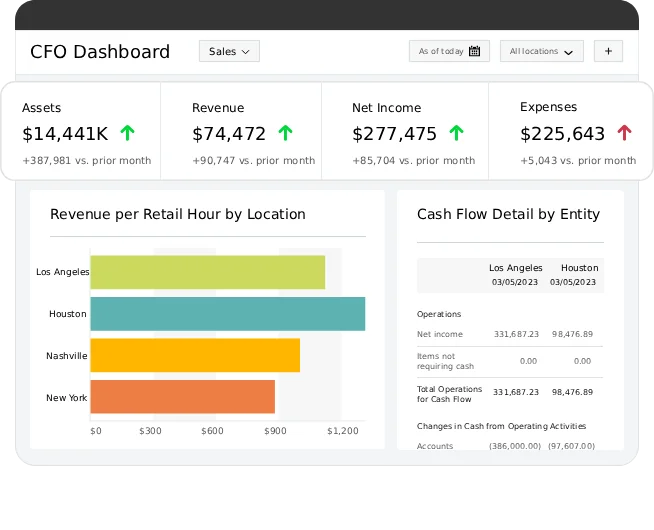
Sage is built for established B2B corporations and mid-sized firms that need strict internal controls and want to prevent junior staff from accessing sensitive payroll or cash flow logs. It is designed for businesses with dedicated accounting departments that require advanced forecasting models and robust balance sheet analysis.
 Our top picks for October 2026

 Endorsed by the AICPA
Why would you switch from Wave to Sage?
Sage is worth switching to if you operate with a multi-person finance team, because it enforces granular user role permissions and permanent audit trails — something Wave doesn't offer. Wave is tailored for a single business owner handling every task, whereas Sage lets a project manager log basic expenses without exposing executive compensation or corporate cash balances.
What can Sage actually do for established B2B corporations?
- Forecast future cash: Analyzes historical payment timelines to predict cash shortfalls before they impact your operations.
- Control ledger access: Limits individual team profiles to specific accounts or accounting tasks based on job roles.
- Consolidate multiple entities: Combines financials across different corporate entities and parent organizations automatically.
- Track corporate assets: Calculates complex depreciation timelines for physical machinery, vehicles, and office property.
- Audit record changes: Records every single modification, entry deletion, or ledger adjustment made across your entire team.
How much does Sage cost?
Sage costs $17/month for the Sage Accounting Start plan. There's a free trial to test the platform. To unlock advanced cash flow forecasting and user permissions, you'll need the standard Sage Accounting plan which costs $39/month.
→ See our full Sage review or visit Sage.
Is NetSuite a Good Wave Alternative for Enterprise-Level Operations?
Who is NetSuite actually for?
NetSuite is built for enterprise-level operations and fast-growing startups that need a complete ERP platform and want to avoid using separate systems for accounting, inventory, and HR. It is tailored for large-scale operations with complex, multi-state or global financial structures.
Our top picks for October 2026

Why would you switch from Wave to NetSuite?
NetSuite is worth switching to if you are scaling past tens of millions in revenue, because it combines core accounting with full supply chain and organizational ERP tools — something Wave doesn't offer. Wave will completely stall under large transaction volumes, while NetSuite manages massive operations across global warehouses, subsidiaries, and thousands of customers.
What can NetSuite actually do for enterprise-level operations?
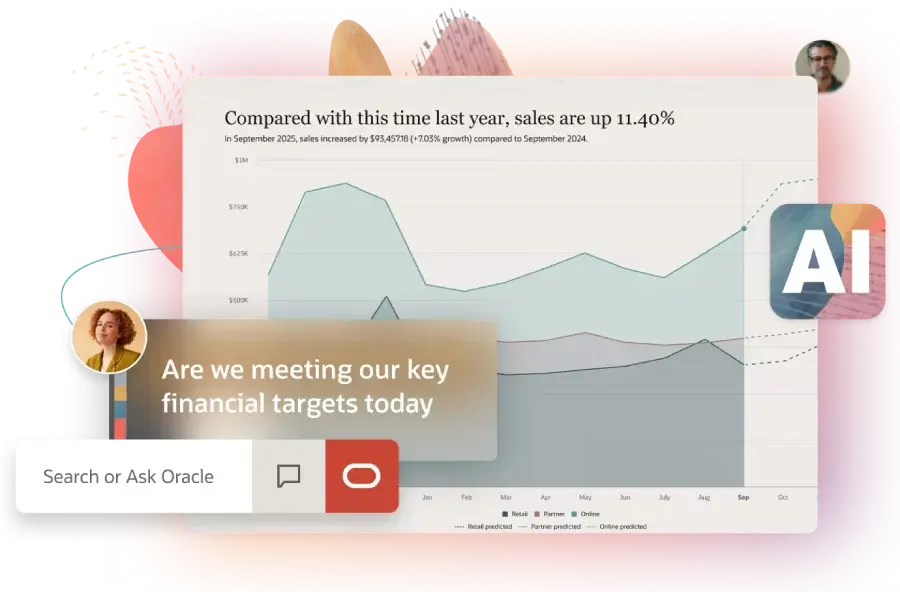
- Automate corporate billing: Manages complex recurring revenue cycles, milestone schedules, and subscription tiers easily.
- Consolidate global books: Unifies financial reporting across multiple global subsidiaries with distinct tax requirements.
- Optimize stock levels: Track raw materials and finished goods across warehouses in real time with demand planning.
- Automate revenue recognition: Matches complex sales contracts directly to strict financial accounting standards.
- Build custom dashboards: Creates tailored financial analytics dashboards for executives, investors, and department heads.
How much does NetSuite cost?
NetSuite costs a variable rate based on your custom configuration, starting with a base license fee plus user access metrics. There is no traditional free trial available because it requires custom corporate implementation. While vastly more expensive than Wave, it provides the total enterprise management large corporations require.
→ See our full NetSuite review or visit NetSuite.
Is Square Invoicing a Good Wave Alternative for Mobile Service Operators?
Who is Square Invoicing actually for?
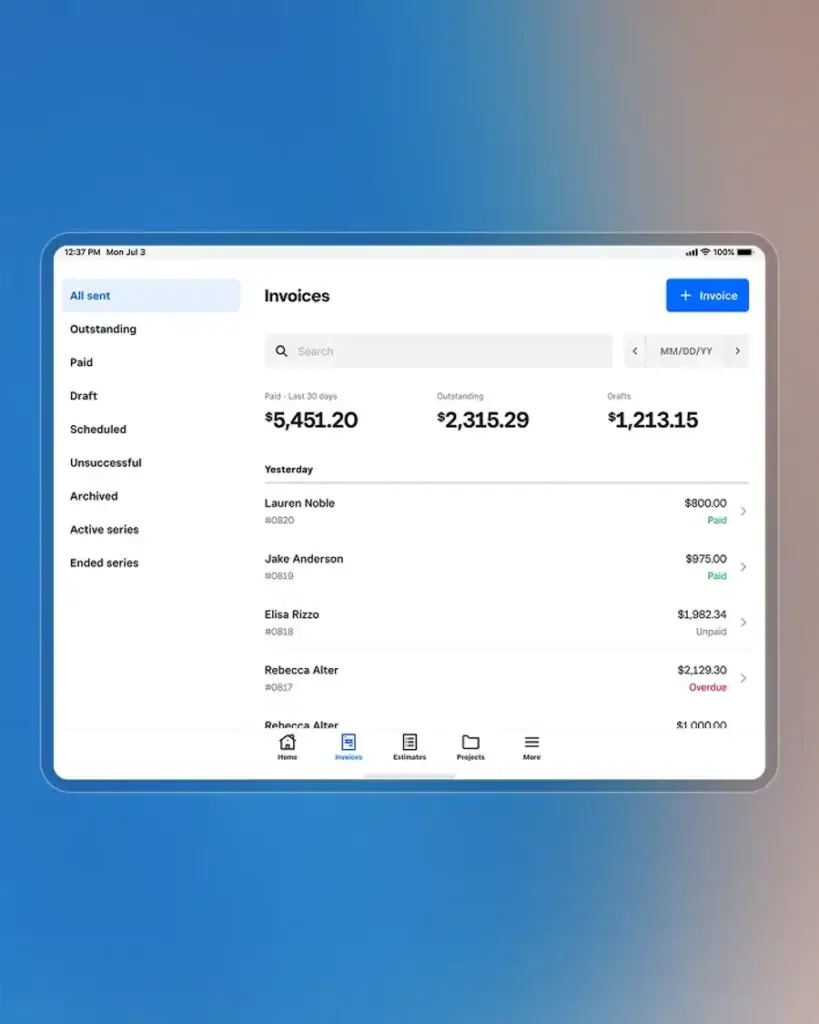
Square Invoicing is built for mobile service operators and local businesses that need to issue bills on-site and avoid chasing paper checks. It fits perfectly for handymen, catering crews, and field contractors who run their operations completely from a smartphone or tablet.
Our top picks for October 2026

Why would you switch from Wave to Square Invoicing?
Square Invoicing is worth switching to if you collect funds directly on-site, because it integrates seamlessly with physical card swipers and mobile register hardware — something Wave doesn't offer. Wave functions strictly as a browser-focused platform, whereas Square allows you to hand a customer a tablet, collect a signature, and swipe a credit card instantly.
What can Square Invoicing actually do for mobile service operators?
- Take offline payments: Swipes credit cards out in the field even during temporary cellular or Wi-Fi network drops.
- Send mobile estimates: Builds and texts professional job estimates to clients directly from a smartphone app.
- Collect partial deposits: Mandates an initial milestone or booking payment before locking in a service appointment.
- Track parts usage: Connect your component inventory to your invoices to automatically deduct items as you bill.
- Schedule client arrivals: Connects booking appointments directly to final billing files to streamline customer management.
How much does Square Invoicing cost?
Square Invoicing costs $0/month for its foundational software tier. No free trial is required because the starting platform is free. Just like Wave, you only pay standard merchant processing rates (typically 2.9% + 30¢ for digital invoices) when your client pays online.
→ See our full Square Invoicing review or visit Square Invoicing.
Is Xero a Good Wave Alternative for International Digital Teams?
Who is Xero actually for?
Xero is built for international digital teams and expanding agencies that need multi-currency accounting and want to avoid the hidden losses of manual foreign conversion. It is popular with software startups, web agencies, and e-commerce companies that utilize integrated tech stacks.
Our top picks for October 2026

Why would you switch from Wave to Xero?
Xero is worth switching to if you run a borderless business, because it calculates foreign currency gains and losses automatically using live exchange rates — something Wave doesn't offer. Wave forces users to handle multi-currency tracking through awkward workarounds, while Xero lets you comfortably invoice and reconcile transactions across 160 different countries.
What can Xero actually do for international digital teams?
- Convert foreign funds: Reconciles international bills and customer receipts using live, hourly market rates.
- Track client projects: Compares estimated labor budgets against real-time project timesheets and operational costs.
- Automate bank matching: Utilizes learning algorithms to identify and match banking transactions to open ledger items.
- Integrate SaaS tools: Syncs business data with more than 1,000 external operations tools via the Xero marketplace.
- Invite unlimited users: Grants secure portal access to internal bookkeepers and outside accountants with no extra cost.
How much does Xero cost?
Xero costs $15/month for the Early plan. A 30-day free trial is available for new accounts. To use the multi-currency features and project tracking tools, you'll need to subscribe to the Established plan, which costs $78/month.
→ See our full Xero review or visit Xero.
Is FreshBooks a Good Wave Alternative for Client-Focused Agencies?
Who is FreshBooks actually for?
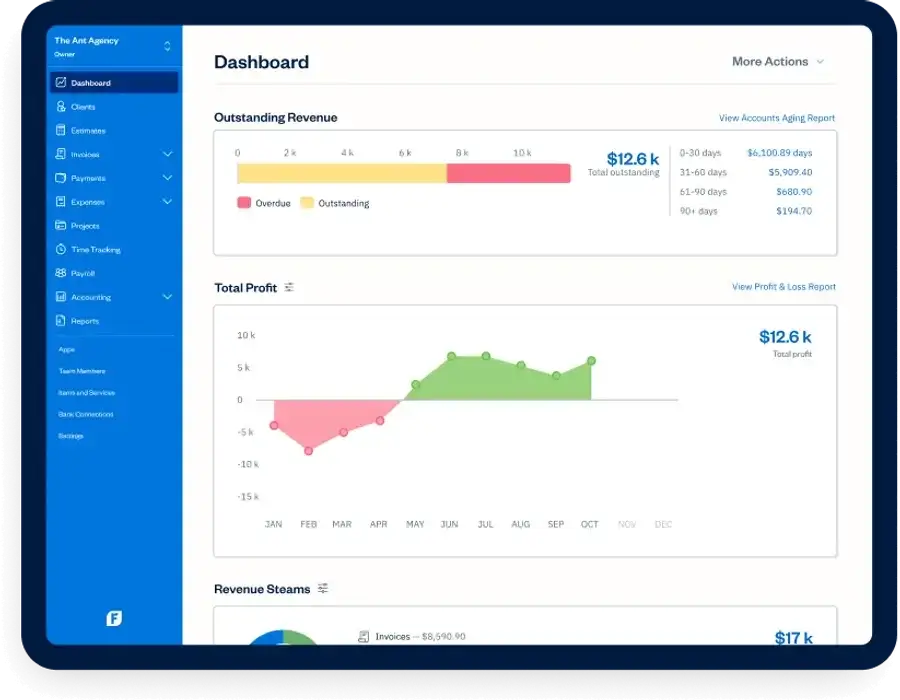
FreshBooks is built for client-focused agencies and independent creators who need native time tracking and want to avoid manually copying billable hours into billing documents. It prioritizes clean, straightforward client dashboards over dense corporate jargon, making it ideal for designers, writers, and consultants.
Our top picks for October 2026

Why would you switch from Wave to FreshBooks?
FreshBooks is worth switching to if your income depends on tracking time, because it features a built-in stopwatch that converts logged minutes directly into line items — something Wave doesn't offer. Wave forces you to monitor project time externally and type everything in manually, which often leads to leaked hours and lost revenue.
What can FreshBooks actually do for client-focused agencies?
- Log billable time: Tracks work hours through mobile apps or browser widgets and logs them under client projects.
- Automate client penalties: Appends a pre-set late fee percentage to customer bills automatically when deadlines pass.
- Bill retainer fees: Deducts project hours automatically from upfront monthly customer payments.
- Scan paper receipts: Extracts data from expense receipts automatically using optical character recognition technology.
- Pitch client proposals: Builds professional service estimates that clients can sign digitally to kick off projects.
How much does FreshBooks cost?
FreshBooks costs $19/month for the Lite plan, which allows you to bill up to 5 active clients. There's a 30-day free trial available without entering a credit card. While Wave offers a free tier, FreshBooks pays for itself by finding and billing unlogged project minutes.
→ See our full FreshBooks review or visit FreshBooks.
Is Striven a Good Wave Alternative for Mid-Market Service Firms?
Who is Striven actually for?
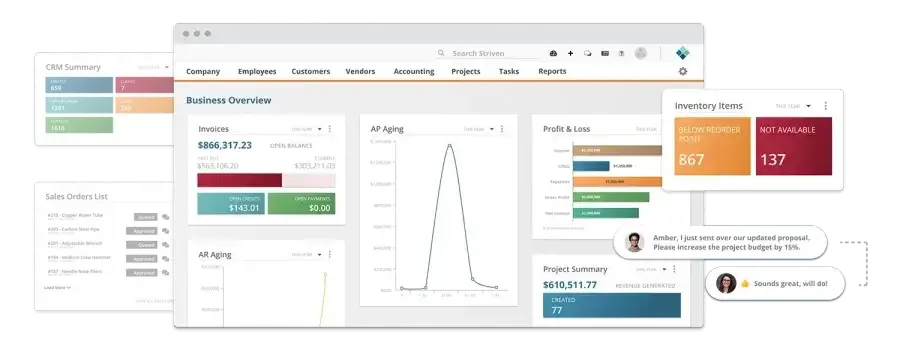
Striven is built for mid-market service firms and distributors that need to organize their operations and want to avoid connecting a dozen different apps together. It is designed for businesses like IT firms, logistics providers, and property management teams that require accounting alongside unified customer management.
Our top picks for October 2026

Why would you switch from Wave to Striven?
Striven is worth switching to if you run a complex service team, because it combines double-entry accounting directly with built-in CRM and project management tools — something Wave doesn't offer. Wave is strictly a basic bookkeeping program, which forces you to constantly re-type client data from external project tools to get paid.
What can Striven actually do for mid-market service firms?
- Dispatch service teams: Organizes and schedules technician assignments while tracking task statuses live.
- Allocate warehouse inventory: Connects stock counts directly to open jobs and client invoices automatically.
- Nurture sales leads: Records customer touchpoints, service calls, and sales deals inside a native CRM pipeline.
- Host client portals: Provides a secure space where clients can view project updates, sign quotes, and process bills.
- Run deep accounting: Processes payroll records, files vendor balances, and creates corporate financial reports natively.
How much does Striven cost?
Striven costs $35/month per user, plus a $20/month base hosting fee for the Standard package. There's a 7-day free trial available to test the application. Because it replaces individual CRM, project, and accounting software tools, it lowers overall software costs.
→ See our full Striven review or visit Striven.
Is QuickBooks Online a Good Wave Alternative for Scaling Small Companies?
Who is QuickBooks Online actually for?
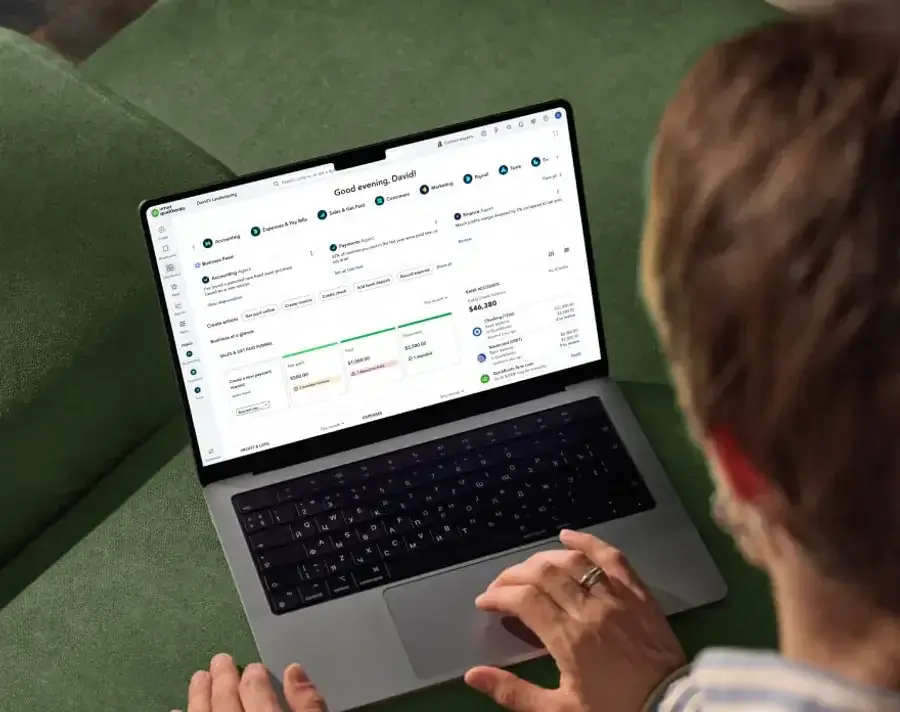
QuickBooks Online is built for scaling small companies and retail operations that need advanced financial reporting and want to avoid switching software as their team expands. It stands as the standard bookkeeping framework in North America, meaning your outside CPA or local bookkeeper will expect you to use it.
Our top picks for October 2026

Why would you switch from Wave to QuickBooks Online?
QuickBooks Online is worth switching to if you are transitioning from a solo operation into a larger team, because it pairs advanced job costing with automated employee payroll — something Wave lacks. While Wave offers basic payroll, it cannot break down employee costs per project to show you your exact profit margins on individual clients.
What can QuickBooks Online actually do for scaling small companies?
- Run automated payroll: Calculates state and federal payroll taxes, files reports, and executes same-day direct deposits.
- Calculate job costing: Evaluates precise labor and material expenses against a specific client project to track profitability.
- Log business travel: Records vehicle mileage automatically using smartphone GPS tracking to maximize tax write-offs.
- File contractor 1099s: Prepares and submits tax documentation for external contractors directly from your vendor dashboard.
- Generate complex reports: Builds custom income statements, balance sheets, and cash flow reports for banks and investors.
How much does QuickBooks Online costs?
QuickBooks Online costs $35/month for the Simple Start plan. A 30-day free trial is available for new businesses. They frequently run introductory promotions offering 50% off your first three months if you choose to skip the trial.
→ See our full QuickBooks review or visit QuickBooks.
Comparison of Wave alternatives for growing businesses, updated June 2026.
| Alternative | Best For | Starting Price | Advanced Reporting Features | Free Trial? |
| Sage | Established B2B corporations | $17/month | Cash flow forecasting & multi-ledger audits | Yes |
| NetSuite | Enterprise-level operations | Custom pricing | Complete ERP & multi-entity consolidation | No |
| Square Invoicing | Mobile service operators | $0/month | Live hardware-linked sales reporting | N/A (Free plan) |
| Xero | International digital teams | $15/month | Real-time multi-currency gain/loss analysis | Yes (30 days) |
| FreshBooks | Client-focused agencies | $19/month | Project time & retainer utilization metrics | Yes (30 days) |
| Striven | Mid-market service firms | $35/user/month | Integrated CRM & inventory valuation sheets | Yes (7 days) |
| QuickBooks Online | Scaling small companies | $35/month | Granular job costing & class-based tracking | Yes (30 days) |
FAQ
Q: Can I easily migrate my historical accounting data from Wave to another system?
A: Yes, you can export your Wave client databases, vendor registries, and chart of accounts as CSV files to load into your new platform. For past transactions, you'll usually need to leverage a third-party migration tool or keep a read-only Wave account open for your historical records.
Q: Do these paid Wave alternatives charge extra fees to sync my bank accounts?
A: No, automated bank feeds are included in the base subscription price across tools like FreshBooks, Xero, and QuickBooks Online. You won't face added monthly charges just to link your business checking accounts or corporate credit cards.
Q: Will my accountant accept financial statements from software other than Wave?
A: Absolutely. Most certified public accountants heavily prefer industry standards like QuickBooks Online or Xero over Wave. These paid tools provide professionals with a dedicated portal to extract correct trial balances and reports without bothering you.
Q: Are there hidden fees or penalties for canceling an accounting subscription?
A: None of the alternative solutions featured here charge termination fees or trap you in long-term commitments. You pay on a month-to-month basis and can easily download your data and close your profile whenever you choose.
Q: Is my customers' credit card information safe if I leave Wave?
A: Yes, all major Wave alternatives maintain strict PCI compliance and utilize bank-grade encryption frameworks. Your customers' card details are securely tokenized within the payment gateway, ensuring your company never handles or stores raw card data.
Which Wave Alternative Is Right for You?
Wave remains an excellent free launching pad for raw startups. But as a business expands, tracking hours in separate tools, managing global transactions, and using basic financial statements starts to leak real cash. When you find yourself managing multiple staff members, juggling vendor supply lines, or lacking clarity on project margins, a free program becomes an expensive operational bottleneck. The cloud accounting space has evolved — and so should your strategy.
- Sage delivers the secure multi-user controls and audit lines needed by established teams.
- NetSuite scales from small businesses to full enterprise resource planning for large organizations.
- Square Invoicing cuts out fixed software costs for on-site, mobile service providers.
- Xero takes the headache out of borderless commerce with automated foreign currency translation.
- FreshBooks connects project hours directly to client bills for freelance service groups.
- Striven merges double-entry books with native operations management and inventory tracking.
- QuickBooks Online provides the classic, accountant-preferred platform that grows alongside small teams.
If you are a mobile contractor billing customers in their driveway, Square Invoicing is exactly what you need.
If your agency serves clients spread across multiple international borders, Xero handles those books better than anything else.
If you are transitioning past solo freelancing and need to manage project time efficiently, FreshBooks is your best fit.
If you are ready to implement class tracking, run internal payroll, and hand clean files to your CPA, switch to QuickBooks Online immediately.
Ready to dig in?
Liked this article?
Daniel Zvi
Smart Recommendations

Thank you!