

Sage vs. Netsuite – Which Accounting Software is Best for Small Businesses in 2026?
Daniel Zvi
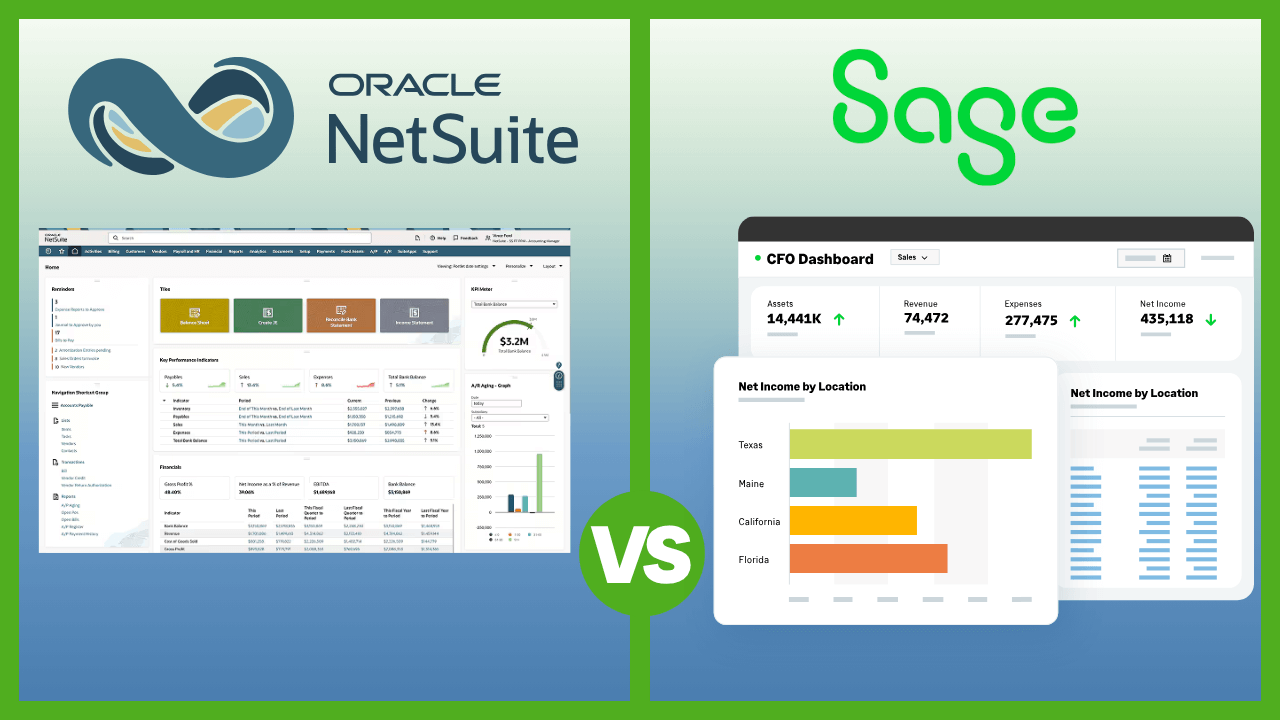
Choosing the right accounting software is vital for small business owners. Sage (specifically Sage 50) and NetSuite are popular options, but serve different needs: Sage 50 excels at robust desktop accounting for established small businesses, while NetSuite offers a comprehensive cloud ERP for businesses aiming for significant growth. Both are powerful, but understanding their core differences is key.
But which one is the better fit for your small business needs?
In this article, we’ll compare Sage vs. NetSuite across key categories, including pricing, core accounting features, ease of use, integrations, customer support, and scalability. Whether you’re managing basic bookkeeping or preparing for rapid expansion, this comparison will help you make a smart, informed decision.
General Overview: Sage vs. NetSuite
When comparing Sage (specifically Sage 50, akin to the QuickBooks comparison) and NetSuite, it's crucial to understand they operate at different scales. Sage 50 is traditional accounting software for small businesses, while NetSuite is a full-fledged ERP designed for growth and complexity. Here's a quick snapshot:
| Feature | NetSuite | Sage 50 |
| Best For | Medium-large business needing an all-in-one ERP | Established small businesses needing robust desktop accounting |
| Starting Price | Quote-based; Est. $1,000+/month (incl. fees) | Starts at $702/year (Pro Accounting) |
| Platform | Cloud-based ERP | Primarily Desktop with cloud-connected capabilities |
| Core Accounting | GL, AP, AR, bank rec, financial reporting | GL, AP, AR, bank rec, cash flow management, job costing |
| Beyond Accounting | CRM, Inventory, eCommerce, HR, PSA (Modules) | Advanced Inventory, Job Costing (Higher Tiers) |
| Mobile App | Yes (iOS & Android) | Basic functionality via connected services |
| Free Trial | No (Offers Product Tour/Demo) | No (Offers Demo) |
| Implementation | Complex; Often requires partner/consultant | Self-setup possible, partner support available |
| Support | Tiered support plans, online resources | Live chat, phone, online resources, Sage University (paid) |
NetSuite at a Glance
NetSuite, owned by Oracle, is a leading cloud-based ERP system. It integrates accounting with other core business functions like CRM, inventory management, eCommerce, and more into a single platform. It’s designed for businesses that have outgrown basic accounting software and need a unified system to manage complex operations and fuel rapid growth.
Sage 50 at a Glance
Sage 50 is a long-standing desktop accounting solution popular among established small businesses in the U.S. It offers comprehensive accounting features, strong reporting capabilities, job costing, and advanced inventory management in its higher tiers. While primarily desktop-based, it offers cloud-connected features for remote access and backups. (Note: Sage also offers cloud-native solutions like Sage Intacct, which is a more direct NetSuite competitor but typically aimed at mid-market companies).
Sage vs. NetSuite Pricing Breakdown
Pricing models for Sage 50 and NetSuite differ significantly, reflecting their different target markets and scopes.
NetSuite Pricing (U.S.)
NetSuite's pricing is quote-based and tailored to each business. It generally involves:
- Base Subscription Fee: Access to the core platform.
- Per-User Fees: Monthly seat cost for each user role.
- Module Fees: Additional costs for specific functionalities (e.g., advanced inventory, CRM, eCommerce).
- Implementation Costs: Often significant, involving NetSuite direct services or a third-party implementation partner.
While official pricing isn't public, estimates suggest that starting costs often range from $1,000 to $ 2,500 per month, including base fees, user licenses, and essential modules. Total annual costs frequently reach $15,000 to $ 50,000 or more, especially when implementation is factored in.
- Free Trial: No, but offers free product tours and consultations.
- Contract Term: Typically annual or multi-year contracts.
💡 NetSuite is an investment for businesses planning substantial growth or needing integrated ERP functionality beyond basic accounting.
Sage 50 Pricing (U.S.)
Sage 50 offers tiered annual subscriptions for its desktop software:
| Plan | Price (Annual) | Key Features |
| Pro Accounting | ~$702/year | Basic accounting, invoicing, and expense tracking (1 user) |
| Premium Accounting | ~$1,147/year | Up to 5 users, advanced budgeting, and audit trails |
| Quantum Accounting | ~$1,994/year | Up to 40 users, job costing, and advanced inventory |
(Note: Prices are estimates based on standard rates and may vary; check Sage's site for current figures.)
- Free Trial: No, but demos are available.
- Additional Costs: Payroll, Microsoft 365 integration, cloud backup, and support plans may incur extra costs depending on the package.
- Payment: Billed Annually.
💡 Sage 50 provides robust desktop accounting at a more predictable, traditional software price point, suitable for established small businesses.
Which Accounting Software Offers Better Value?
- NetSuite offers immense value if your business needs an integrated ERP system to manage complexity and scale rapidly. The value comes from unifying disparate systems, but the cost is significantly higher.
- Sage 50 offers strong, traditional accounting value for businesses that primarily need a robust financial management tool, especially if desktop software is preferred. The cost is much lower and more predictable for core accounting.
The "better value" depends entirely on whether you need just accounting software or a full business management suite. For most typical small businesses, Sage 50 appears to be the better value purely based on price for accounting features.
Sage 50 vs. NetSuite Core Features Compared
While both handle core accounting, NetSuite's scope extends far beyond Sage 50's focus.
NetSuite: Core Accounting & ERP Features
 Our top picks for March 2026

 See metrics in real-time
NetSuite is designed as the central hub for your entire business. Its accounting module is just one part of a larger, integrated system.
- Financial Management: General Ledger, Accounts Payable (AP), Accounts Receivable (AR), bank reconciliation, multi-currency support, and tax management.
- Order Management: Integrates sales orders with inventory, fulfillment, and billing.
- Inventory Management: Advanced tracking across multiple locations, demand planning, and cycle counting.
- CRM (Customer Relationship Management): Integrated sales force automation, marketing automation, customer service management.
- Reporting & Analytics: Real-time dashboards, customizable reports across all business functions (finance, sales, operations).
- Global Capabilities: Built for multi-subsidiary, multi-currency, and multi-tax compliance.
- Customization & Workflow Automation: Highly customizable platform with tools to automate complex business processes.
- Mobile App: Access dashboards, track expenses, and approve transactions on the go.
- Integrations: Connects with numerous third-party apps via the SuiteApp marketplace and APIs, but often aims to replace other systems.
Sage 50: Core Accounting Features
Our top picks for March 2026

Sage 50 focuses on providing in-depth, traditional accounting functionality for small businesses, particularly those requiring robust job costing and inventory features within the accounting sphere.
- General Ledger & Journal Entries: Full double-entry accounting, customizable chart of accounts.
- AP & AR Management: Track bills and invoices, manage customer and vendor payments.
- Cash Flow Management: Forecasting tools, bank reconciliation.
- Advanced Inventory Management (Premium & Quantum): Manage multiple inventory types, assemblies, locations, and pricing levels.
- Job Costing & Budgeting (Premium & Quantum): Track costs, revenue, and profitability by project or job.
- Audit Trails: Built-in tracking for security and compliance.
- Multi-User Access: Role-based permissions (up to 40 users on Quantum).
- Reporting: 150+ standard reports, customizable options.
- Limited Integrations: Focus on core accounting; integrations mainly via Microsoft 365, AutoEntry, Sage Payroll.
- Mobile Access: Basic access via connected services, not a full-featured native app like NetSuite's or QuickBooks Online's.
Feature Comparison Summary
| Feature Area | NetSuite | Sage 50 |
| Core Accounting (GL/AP/AR) | ✔ (Integrated within ERP) | ✔ (Deep, traditional functionality) |
| Inventory Management | ✔ (Advanced, multi-location, part of ERP) | ✔ (Advanced in Premium/Quantum) |
| Job Costing | ✔ (Available, often via PSA module) | ✔ (Strong, built-in for Premium/Quantum) |
| CRM | ✔ (Integrated module) | ✖ (Requires separate software) |
| eCommerce | ✔ (Integrated module) | ✖ (Requires separate software) |
| Multi-Currency | ✔ (Robust, built for global business) | ✔ (Available) |
| Reporting | ✔ (Real-time, cross-functional dashboards) | ✔ (150+ standard accounting reports) |
| Customization | ✔ (Highly customizable platform & workflows) | ✔ (Customizable reports & forms) |
| Platform | Cloud ERP | Desktop (with cloud connect) |
| Mobile App | ✔ (Good functionality) | Basic (Limited features via connected services) |
- Choose NetSuite if you need an integrated system that manages accounting alongside sales, inventory, and operations, and are prepared for the complexity and associated costs.
- Choose Sage 50 if you need powerful, traditional desktop accounting with strong job costing or inventory features, and don't require built-in CRM or eCommerce.
Sage vs. NetSuite User Experience & Ease of Use
The user experience differs dramatically between the robust, feature-rich ERP environment of NetSuite and the traditional desktop interface of Sage 50.
NetSuite: Powerful & Customizable, but Complex

NetSuite offers a unified, browser-based interface accessible from anywhere. It's incredibly powerful but comes with a significant learning curve.
- Dashboard: Highly customizable role-based dashboards showing real-time KPIs across different departments (finance, sales, ops). It can feel overwhelming initially.
- Setup & Implementation: Complex. Almost always requires specialized training and configuration, often involving NetSuite professional services or implementation partners. This is not a DIY setup.
- Learning Curve: High. Users require training tailored to their specific roles and configured workflows. Best suited for companies with dedicated finance/ops teams or tech-savvy users.
- Mobile App: Provides reasonable access to key data, dashboards, expense reporting, and approvals, but is not intended for the whole system operation.
- Customization: Extremely high. It can be tailored to specific industry needs and business processes, but customization requires expertise.
✅ Best for: Businesses with the resources (time and money) to invest in implementation and training, needing a tailored, all-encompassing system.
Sage 50: Traditional Desktop Interface

Sage 50 presents a classic desktop software experience. It's functional and familiar to users of traditional accounting software, but lacks the modern feel and accessibility of cloud platforms.
- Dashboard: Functional centers (e.g., Customers & Sales, Vendors & Purchases) organize tasks logically but look dated compared to cloud apps.
- Setup: More involved than cloud apps like QuickBooks, requiring software installation and manual configuration of the chart of accounts, users, etc. Can be self-managed by someone with accounting knowledge.
- Learning Curve: Medium to High for beginners, but familiar for experienced accountants or users of similar desktop software. Less intuitive than modern cloud interfaces.
- Mobile Access: Not a primary feature. Requires connected services for basic remote data access or specific tasks.
- Customization: Good customization of reports, forms (invoices, checks), and user permissions within the accounting context.
✅ Best for: Businesses comfortable with desktop software, possibly with an experienced bookkeeper or accountant, who prefer stability and deep features over modern UI/UX.
Sage vs. NetSuite Accounting Software Usability Summary
| Experience Area | NetSuite | Sage 50 |
| Platform | Cloud | Desktop |
| Interface Design | Customizable, dense, modern-ish | Traditional, functional, dated |
| Setup Process | Complex, requires experts | Manual, install-based, DIY possible |
| Learning Curve | High | Medium-High (for non-accountants) |
| Mobile App | Suitable for dashboards/approvals | Basic/Limited |
| Customization | Very High (Platform-wide) | Moderate-High (Accounting functions) |
NetSuite offers power and flexibility, but it demands a significant investment in learning and setup. Sage 50 is more grounded and traditional, easier for experienced accountants, but less intuitive for general business users, compared to simpler cloud tools.
NetSuite vs. Sage 50 Integrations & Compatibility
NetSuite's philosophy is often to be the integrated system, while Sage 50 relies on a few key connections.
NetSuite: Built for Integration (Often Replacing Other Tools)
Our top picks for March 2026
NetSuite is designed to be the single source of truth for a business. While it has its own marketplace (https://www.google.com/search?q=SuiteApp.com) with hundreds of third-party applications, its strength lies in its native modules.
- Native Modules: CRM, Inventory, eCommerce, HR, and PSA are tightly integrated.
- SuiteApp Marketplace: Offers certified third-party apps for specific industries or functions (e.g., Avalara for tax, Stripe for payments).
- APIs & Development Platform (SuiteCloud): Robust tools for building custom integrations or connecting legacy systems.
- Goal: Often replaces multiple standalone apps (e.g., CRM, inventory management) with its own integrated modules.
✅ Best For: Businesses wanting a single, unified platform to run most or all of their core operations.
Sage 50: Focused on Core Accounting Connections
Our top picks for March 2026
Sage 50 has a much more limited integration scope, typical of traditional desktop software.
- Microsoft 365: Key integration for emailing invoices, cloud backups, and basic data sharing.
- Sage Payroll: Connects to Sage's payroll services.
- AutoEntry: For automated data entry from receipts/invoices.
- Payment Processing: Integrates with Paya (now Nuvei) or potentially other processors via add-ons.
- Bank Feeds: Connects to banks for reconciliation.
- Limited API/SDK: Available for developers, but the third-party ecosystem is small compared to cloud platforms.
✅ Best For: Businesses primarily needing accounting software with basic Microsoft Office or payment processing links.
NetSuite vs. Sage Accounting Customer Support & Learning Resources
Support structures reflect the complexity and cost of each platform.
NetSuite: Tiered Support & Partner Ecosystem
NetSuite offers structured support plans, often tiered based on response time and access level. An extensive network of implementation and consulting partners supplements direct support.
Support Channels:
- SuiteSupport: Tiered plans (Basic, Premium, Advanced) with phone and online case submission.
- NetSuite Partners: Essential for implementation, customization, and ongoing specialized support.
- Help Center (SuiteAnswers): Extensive online knowledge base, articles, and videos.
- NetSuite Community: Online forums for users and partners.
Resources:
- SuiteAnswers: Comprehensive documentation.
- NetSuite Learning Cloud Support (LCS): Subscription-based training portal.
- Webinars, whitepapers, and guides.
- Partner-provided training.
🟢 Pro: Access to deep expertise (via partners or higher support tiers).
🔴 Con: Basic support can be limited; reliant on expensive plans or partner contracts for complex issues. Implementation support is crucial and costly.
Sage 50: Traditional Software Support
Sage 50 support is more typical of desktop software, offering phone and online resources, along with paid options for advanced training.
Support Channels:
- Phone Support: Often included with the annual subscription (Sage Business Care plan).
- Live Chat: Available during business hours.
- Online Ticketing/Email.
- Sage Community: Online forums.
Resources:
- Sage Knowledgebase: Searchable help articles and FAQs.
- Sage University: Paid courses, certifications, and training materials.
- Product documentation and user guides.
- Network of Sage Certified Consultants (independent).
🟢 Pro: Direct phone support often included; resources available for everyday accounting tasks.
🔴 Con: Fewer free learning resources; Sage University is paid; the community is less active than huge platforms like QuickBooks.
Sage vs. NetSuite Customer Support Summary
| Category | NetSuite | Sage 50 |
| Phone Support | ✔ (Via tiered SuiteSupport plans) | ✔ (Often included via Sage Business Care) |
| Live Chat | ✔ (Limited, depending on plan) | ✔ (Business hours) |
| Knowledge Base | ✔ (Extensive - SuiteAnswers) | ✔ (Sage Knowledgebase) |
| Community Forum | ✔ (Active user & partner community) | ✔ (Available, less active) |
| Training | ✔ (Paid LCS, Partner Training) | ✔ (Paid Sage University) |
| Partner Support | ✔ (Crucial for implementation/customization) | ✔ (Available via Certified Consultants) |
NetSuite support relies heavily on paid tiers and partners due to the complexity of its system. Sage 50 offers more traditional, direct support channels often bundled with the subscription.
So, Should You Choose NetSuite or Sage 50?
These two platforms serve fundamentally different needs within the small business spectrum.
Choose NetSuite If:
- You are a rapidly growing small business expecting significant complexity (multiple locations, currencies, subsidiaries).
- You need an all-in-one ERP system that integrates accounting with CRM, inventory, eCommerce, etc., from the start.
- You have outgrown basic accounting software like QuickBooks or Sage 50 and face inefficiencies from using multiple disconnected systems.
- You have the budget for higher subscription fees AND significant implementation/training costs.
- You need real-time visibility across your entire business, not just finance.
- You prioritize cloud accessibility and scalability above all else.
Choose Sage 50 If:
- You are an established small business with stable operations.
- You primarily need robust, traditional accounting features, especially strong job costing or inventory management within the accounting function.
- You prefer desktop software with cloud-connected backups/remote access.
- Your budget is more aligned with traditional software costs (hundreds or low thousands per year, not tens of thousands).
- You don't need integrated CRM, eCommerce, or HR within your accounting system.
- You have someone with accounting knowledge who can manage the software.
Final Verdict NetSuite vs. Sage
Sage 50 and NetSuite both offer powerful capabilities, but they cater to different stages and types of small businesses.
Sage 50 is a strong contender for established small businesses that need comprehensive, reliable desktop accounting with good reporting and specific features, such as job costing.
NetSuite is the choice for ambitious small businesses on a high-growth trajectory that need a scalable, integrated ERP system to manage increasing complexity across finance, sales, and operations. It's a significant step up in cost and complexity but provides a unified platform for growth.
Ultimately, your decision depends on your current needs, plans, budget, and operational complexity. Choose the system that aligns with where your business is and where you realistically plan for it to be.
Want to explore further before making a decision?
👉 Read our full NetSuite review
👉 Read our full Sage review
Ensure the software you choose is an asset, not a burden, as your business grows.
Frequently Asked Questions
Q. Is NetSuite too expensive or complex for a small business?
A. For many typical small businesses, yes. NetSuite is a powerful ERP system with costs often starting over $1,000/month plus significant implementation fees. It's best suited for rapidly scaling small businesses or those with complex operations (multiple locations, international sales, intricate inventory) that need an integrated system beyond just accounting and can afford the investment in setup and training.
Q. Can Sage 50 handle a growing business?
A. Sage 50 can support growth to a certain point, especially with its Premium and Quantum tiers, which allow up to 40 users and offer features like advanced inventory and job costing. However, it's primarily desktop-based and lacks the integrated CRM, eCommerce, and broad operational scope of an ERP like NetSuite. Businesses expecting rapid and complex growth might outgrow Sage 50's architecture.
Q. Which is easier to learn, Sage 50 or NetSuite?
A. Neither is as simple as entry-level cloud software like QuickBooks. However, Sage 50 generally has a less steep learning curve if you are familiar with traditional desktop accounting software. NetSuite is significantly more complex due to its breadth as an ERP system and typically requires formal training, as well as ongoing support from implementation partners.
Q. How do I know if I need an ERP like NetSuite or just accounting software like Sage 50?
A. You likely need just accounting software (like Sage 50) if your primary need is managing core financials (invoicing, expenses, banking, reporting) and perhaps job costing or inventory within that context. You may need an ERP (such as NetSuite) if you're struggling to manage operations because your accounting, sales (CRM), inventory, and order fulfillment systems are disconnected, causing significant inefficiency or errors, especially as you scale.
Q. Which software integrates better with other business apps? A. NetSuite generally aims to be the integrated system itself, replacing other apps with its own modules (CRM, eCommerce, etc.). While it has the SuiteApp marketplace for third-party tools, its philosophy is often one of consolidation. Sage 50 has far fewer native integrations, primarily focused on Microsoft 365, Sage Payroll, and payment processing. If you rely heavily on a wide variety of specific third-party cloud apps, neither might be as flexible as a platform like QuickBooks Online. Still, NetSuite's potential for integration (via APIs and partners) is much broader than Sage 50's.
Liked this article?
Daniel Zvi
Smart Recommendations



Thank you!