

AI Comes to QuickBooks: Everything You Need to Know About The July 2025 Update
Daniel Zvi
 12
12
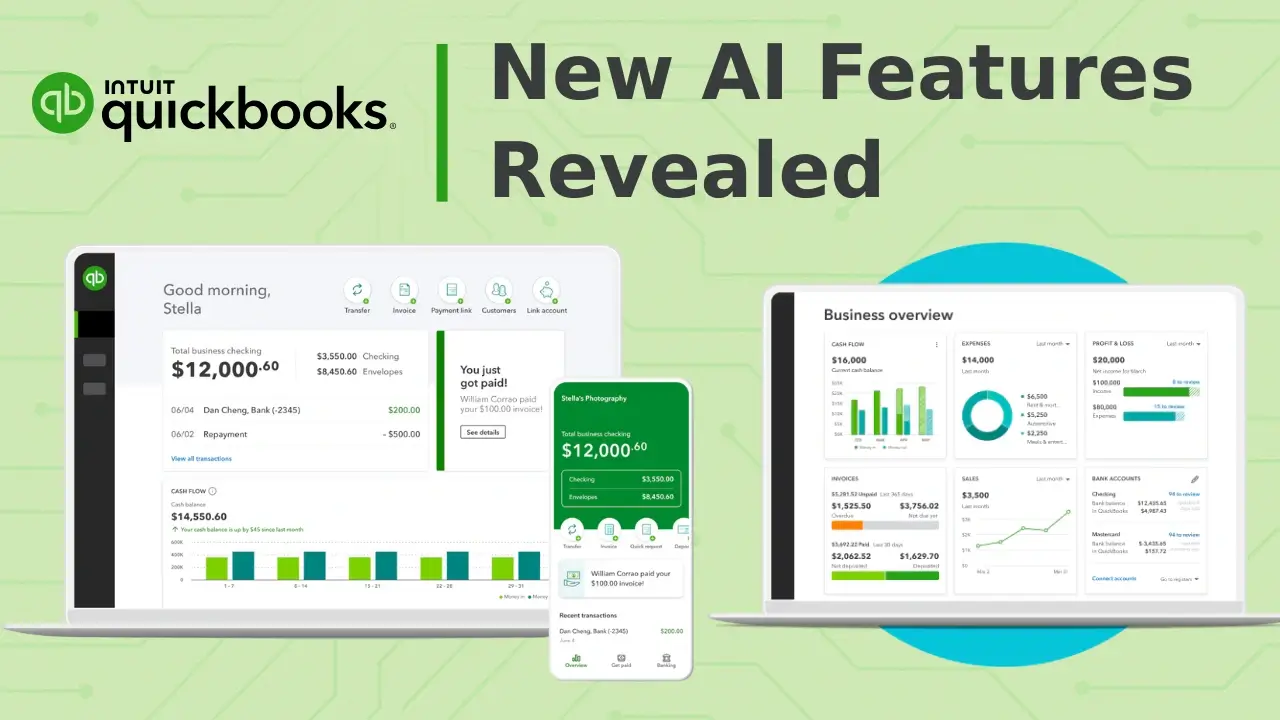
QuickBooks is rolling out one of its most substantial updates on July 1, 2025. Across all plan tiers — Simple Start, Essentials, Plus, and Advanced — users will see a host of new tools aimed at streamlining workflows, improving visibility, and leveraging artificial intelligence to reduce manual effort. These updates introduce CRM functionality, anomaly detection, smart invoicing assistants, and AI-driven financial insights. While the upgrade is positioned as a major leap forward for small and midsize businesses, the real question is whether these changes deliver meaningful value to users across different tiers.
This article looks at what changed in each QuickBooks tier, how these features work in practice, and what kind of business each plan now best serves. The goal is to help you understand what’s new and evaluate whether it is time to upgrade or switch plans.
QuickBooks Online July 2025 — Feature Overview by Tier
| Tier | Key New Features | Who It’s For |
| Simple Start |
|
Solopreneurs or freelancers |
| Essentials |
|
Growing small teams |
| Plus |
|
Project-based or service businesses |
| Advanced |
|
Mid-sized businesses and agencies |
Simple Start
New Features
- Smart Search
- Business Feed
- Progressive Onboarding
- Basic Automation
- Tax Readiness Tools
Key Benefits
The July 2025 update brings meaningful improvements to the Simple Start plan. This tier is designed for freelancers and solopreneurs who need streamlined tools without the overhead of more advanced features. With this release, QuickBooks introduces new automation, guided workflows, and AI-powered summaries that reduce the time spent on manual entry and navigation.
The new Smart Search experience lets users find transactions, contacts, and reports more quickly. Filters and columns can now be customized, helping surface the correct information without navigating multiple menus. This is a subtle but valuable upgrade for users who rely on fast access to specific records.
A more visible change is the introduction of the Business Feed. This new interface acts as a command center that shows what QuickBooks has already done in the background. It highlights invoices that have been created, transactions that need review, and suggestions for next steps. It replaces the need to track activity manually across multiple tabs.
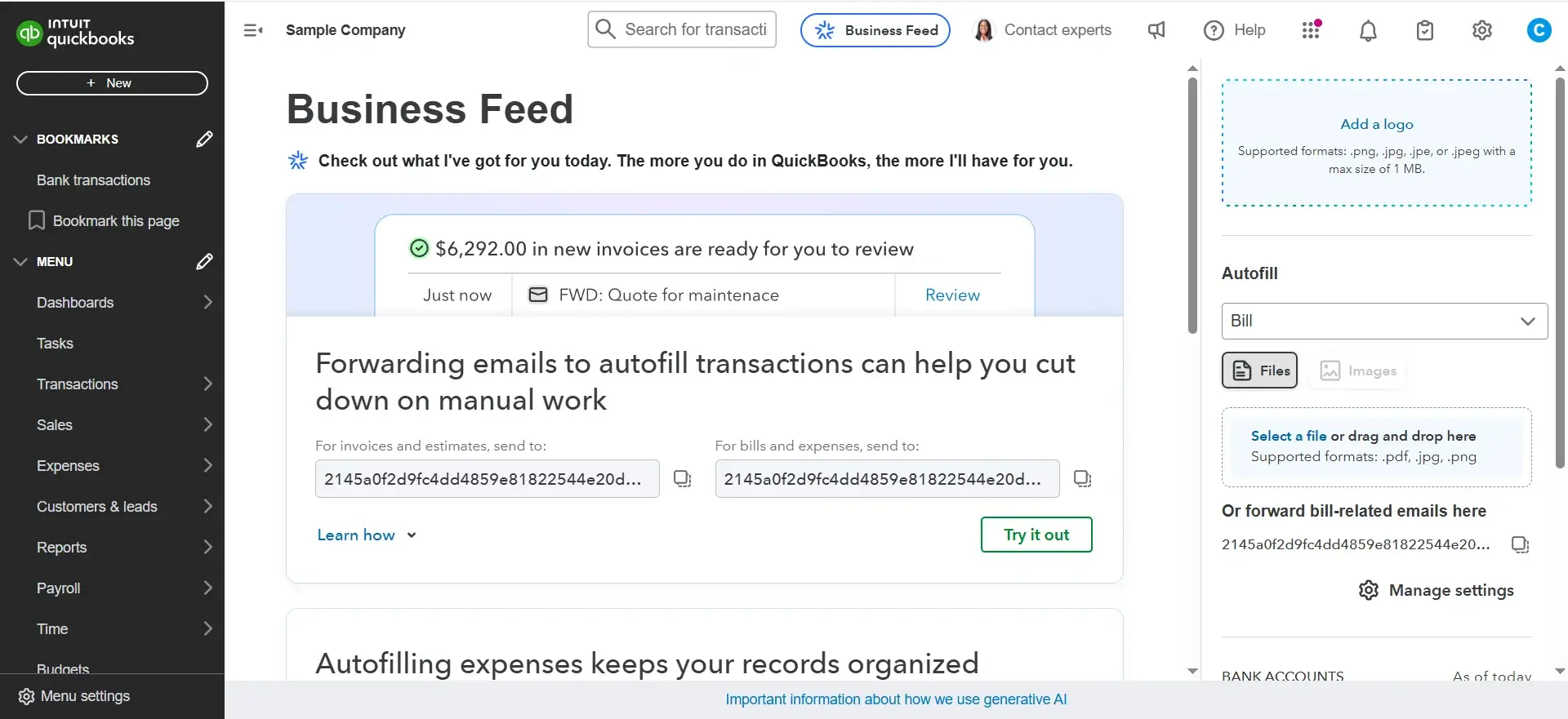
The Business Feed summarizes recent actions, pending reviews, and recommendations based on your activity.
Simple Start also now supports basic automation by allowing users to forward receipts or bills directly to QuickBooks via email. The system scans and extracts the necessary data, then pre-fills the transaction fields for review. This feature helps reduce the need to enter vendor names, totals, or dates manually.
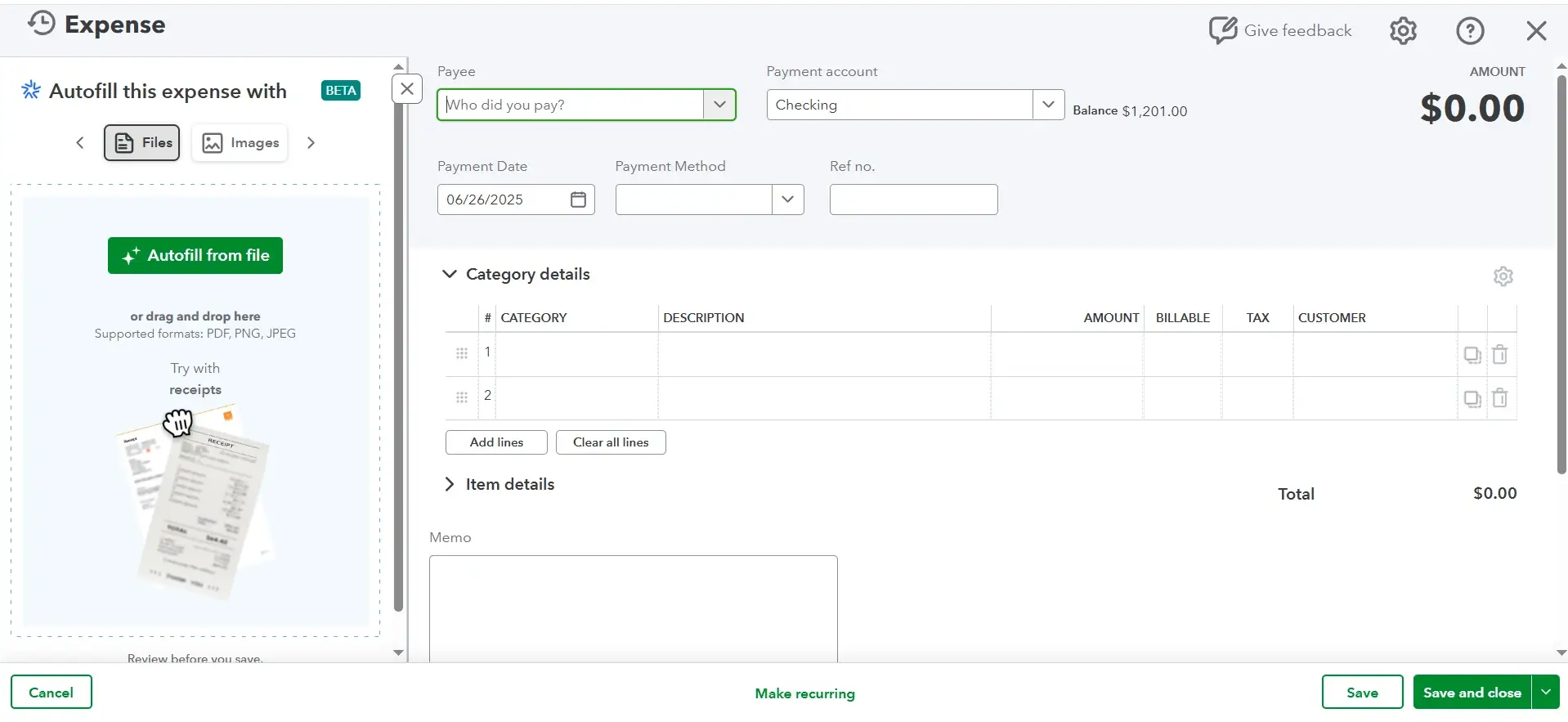
Emailed receipts are automatically interpreted and added as expenses, ready for approval with the new Expense Agent.
Progressive onboarding rounds out the changes by guiding new users through account setup with clear steps and helpful prompts. Combined with improved tax categorization tools, the updated Simple Start tier is more hands-off than ever.
Use Case Example: Freelance Consultant
A consultant who invoices a handful of clients monthly can now log in, check the Business Feed to see what has been handled, forward a batch of receipts for automated entry, and move on. The system handles routine categorization and surfaces what needs attention without requiring deep accounting knowledge or daily oversight.
Essentials
New Features
- Customer Hub (CRM)
- Accounting and Payments Agents
- Purchase Notifications
- Tasks and Notes Management
- Appointment Scheduling
- Recurring Invoices
Key Benefits
With this update, the Essentials plan becomes much more than a bookkeeping tool. It introduces a foundational CRM, adds AI-powered agents that support accounting and payment workflows, and expands task and notification handling. These changes aim to help small business teams manage their finances and customer relationships within one system.
The most significant addition is the new Customer Hub. This feature brings lightweight customer relationship management into QuickBooks for the first time. Users can now view customer profiles, schedule appointments, track follow-ups, and manage notes and tasks all in one place.
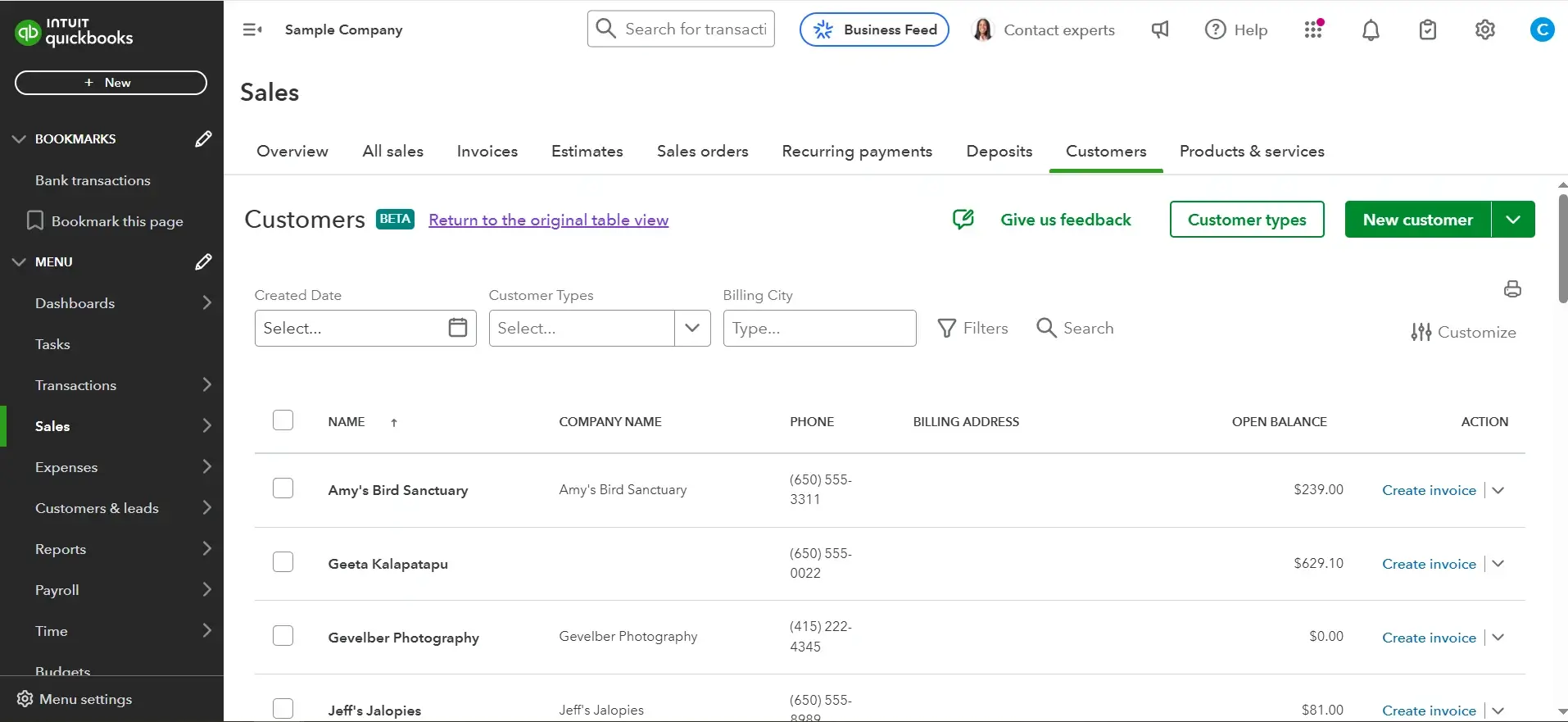
The Customer Hub shows each client’s status, linked transactions, follow-up history, and contact details in a single view.
Accounting and Payments Agents work in the background to improve accuracy and accelerate cash flow. The Accounting Agent helps categorize transactions, flag anomalies, and prepare the books for collaboration with an accountant. The Payments Agent focuses on invoice collection, identifying overdue payments, suggesting follow-up timing, and optimizing how and when clients are billed.
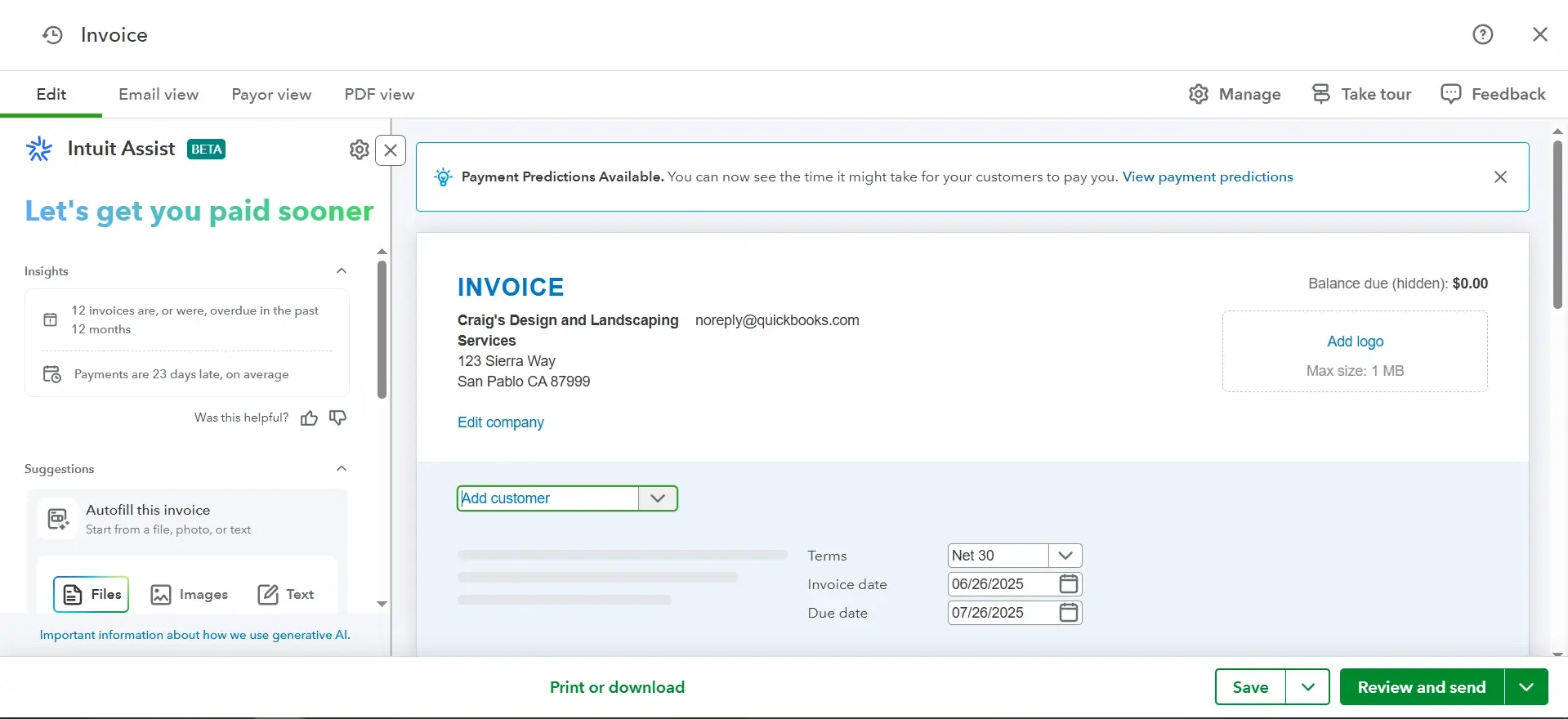
The Payments Agent highlights past-due invoices, analyzes collection timing, and recommends the next best action.
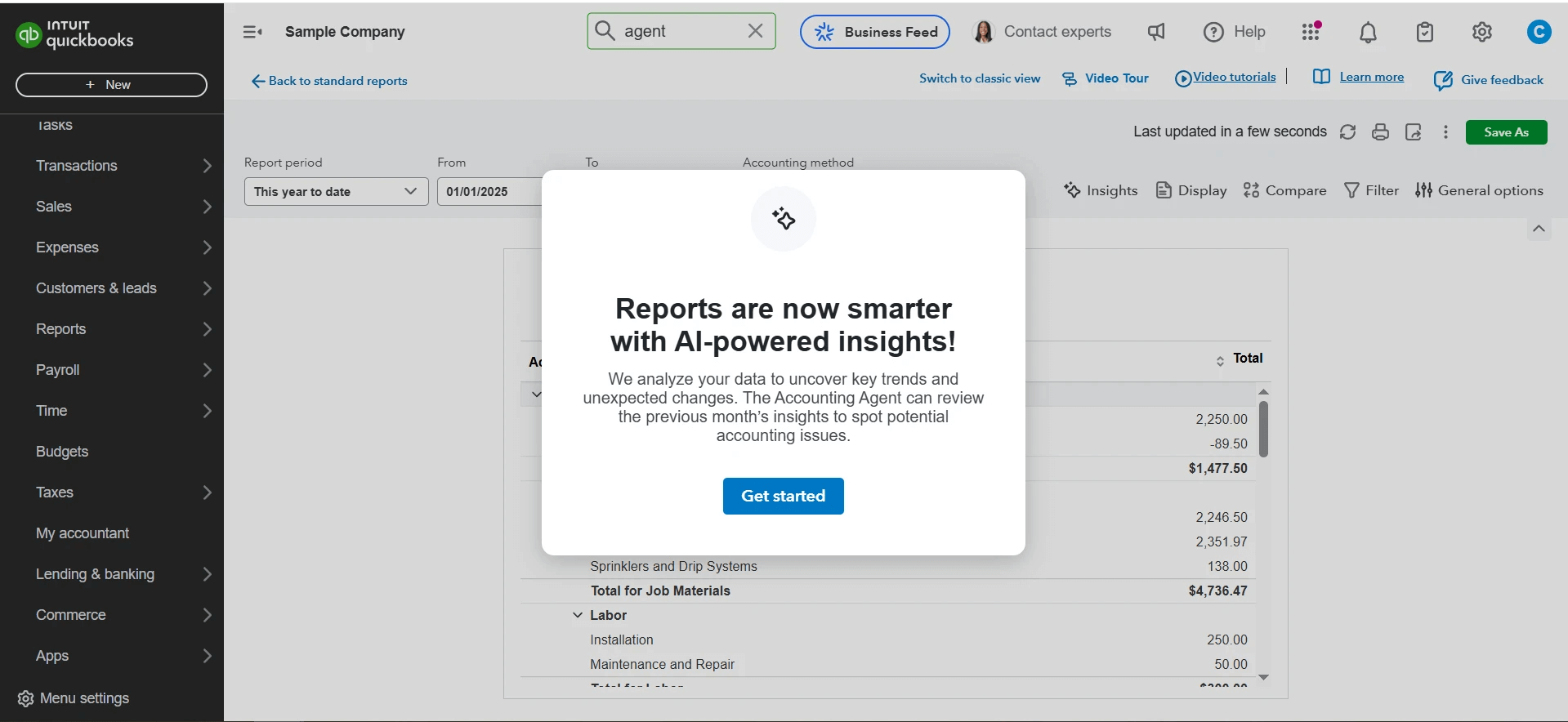
The Accounting Agent assists with categorization and error detection and offers a cleaner, more organized view of your books.
The Essentials tier also now includes recurring invoice management and appointment scheduling. Users can create and send invoices automatically regularly and track client meetings directly within QuickBooks. These features help reduce administrative back-and-forth and support stronger client retention.
Use Case Example: Home Repair Company
A service-based business, such as a home repair company or marketing consultant with a small team, can now manage customer interactions and billing from a single dashboard. The CRM tools keep track of clients, the agents ensure faster payments and cleaner records, and recurring invoicing helps avoid late billing. Essentials is now a much more complete operational system for small businesses starting to scale.
Plus
New Features
- Customer Agent (Beta)
- AI-Powered Financial Insights
- Reconciliation
- Anomaly Detection
- Lead Management
- Contracts and Document Upload
- Project Management Tools
Key Benefits
QuickBooks Online Plus introduces advanced automation and analytics features that support growing businesses with multiple clients, complex cash flow, and project-based operations. This tier builds on the foundations of Essentials by adding more sophisticated agents, deeper CRM functionality, and AI-driven visibility into financial patterns.
The standout addition is the Customer Agent, which is currently in beta. This AI-powered tool monitors customer communication, identifies promising leads, drafts follow-up emails, and automatically tracks engagement. It integrates directly with the CRM interface to help businesses respond faster and convert more effectively.
AI-Powered Insights are now available directly in financial reports. These insights help surface trends in revenue and expenses, compare performance across periods, and detect anomalies that may require attention. The system flags unexpected movements in key accounts and prompts users with interpretation, not just numbers.
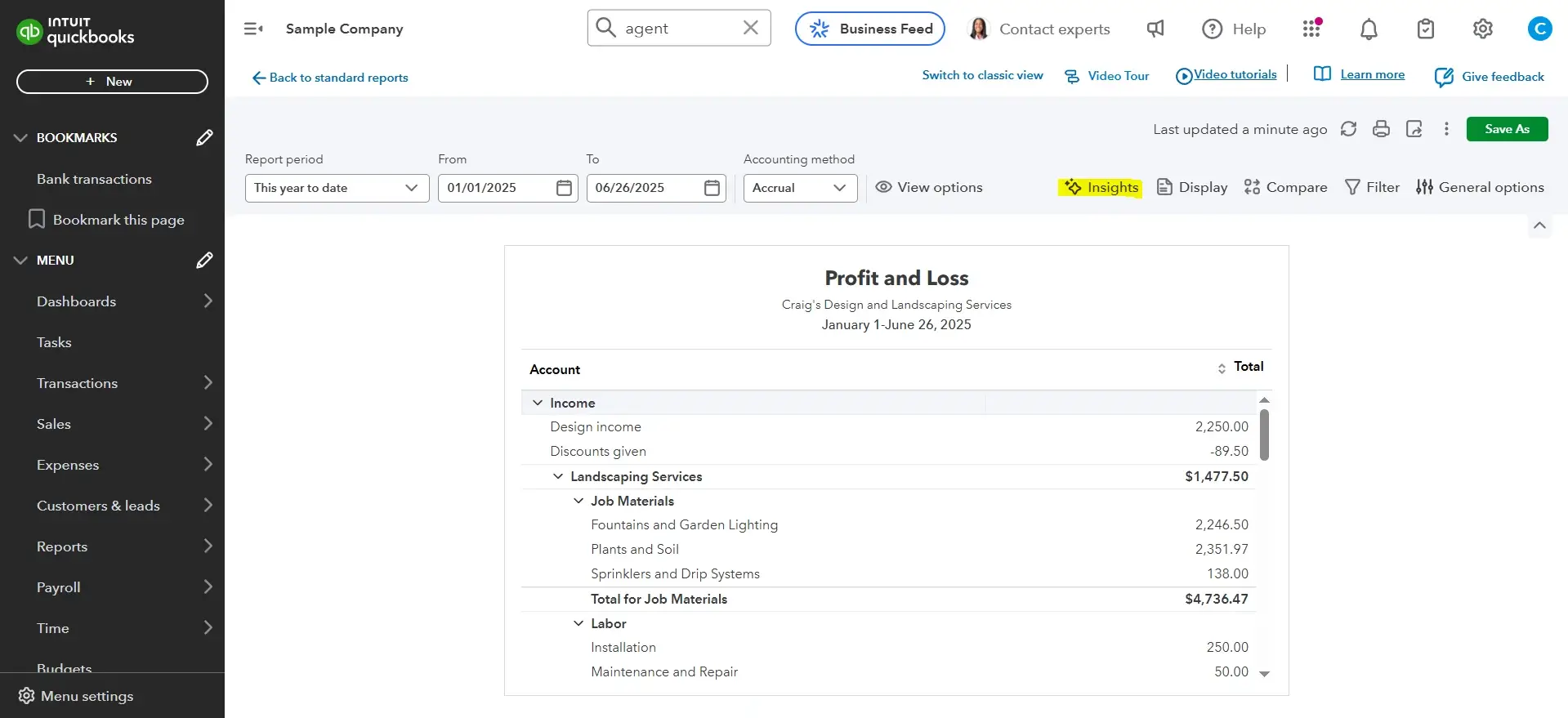
AI-generated summaries highlight trends and outliers in your profit and loss statement or balance sheet.
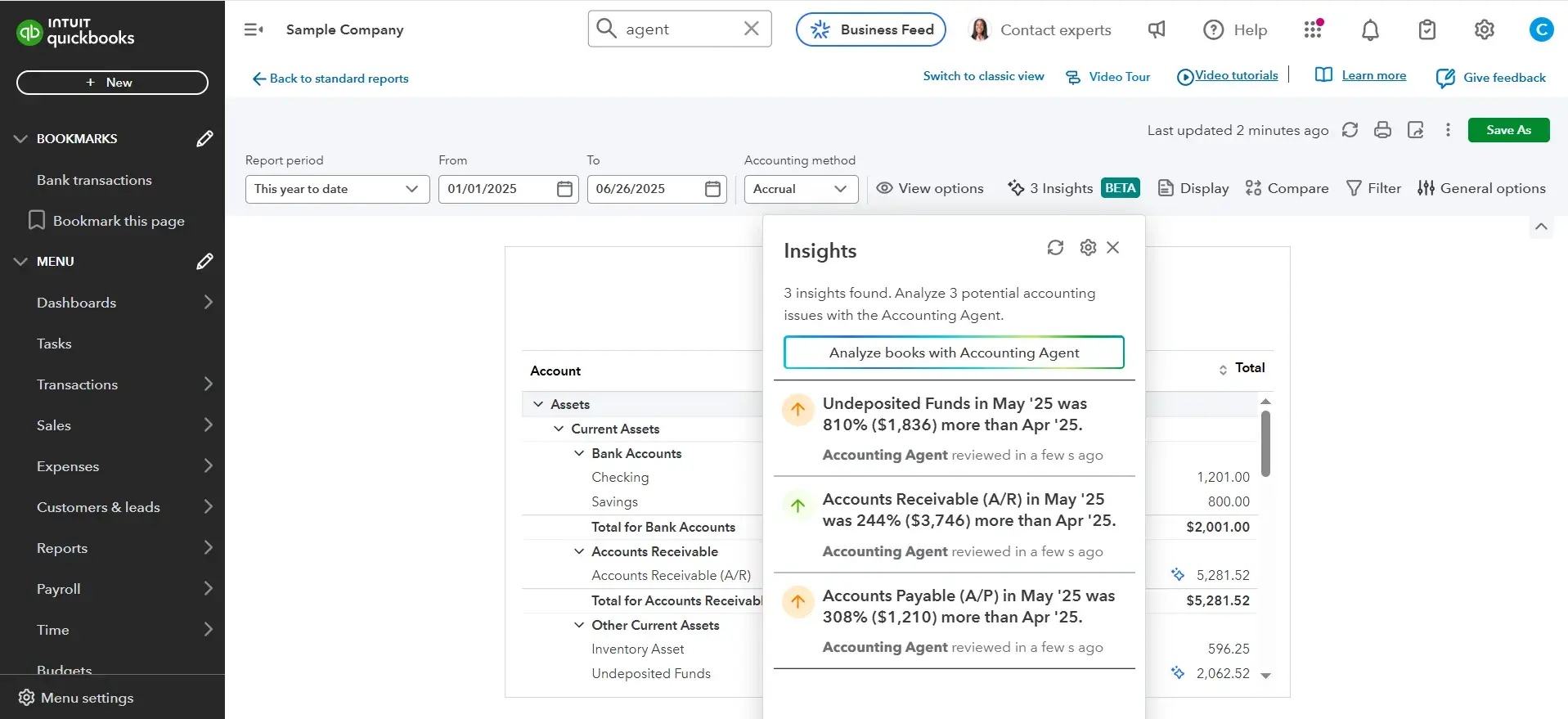
Anomaly detection flags unusual activity, such as spikes in undeposited funds or misclassified expenses.
Plus also introduces beta-level reconciliation automation. While reconciliation remains a task that requires review, QuickBooks now uses AI to pre-match transactions and detect mismatches before they cause reporting errors. This helps businesses close the books faster and with greater confidence.
On the operational side, Plus expands the CRM into a more robust customer and document management tool. Users can upload contracts, collect eSignatures, and store client documents within QuickBooks. Project management tools, including time tracking, budgeting, and profitability reporting, remain available and are now better connected to customer profiles and task assignments.
Use Case Example: Marketing Agency
A marketing agency juggling client onboarding, invoicing, and project profitability now has an integrated system to manage money and relationships. The Customer Agent saves hours on lead tracking and email follow-ups. AI Insights and anomaly detection support better forecasting, and reconciliation automation helps reduce accounting friction at month-end. Plus becomes a viable all-in-one system for service firms that need structure and scalability.
Advanced
New Features
- Finance and Project Agents (Beta)
- KPI Scorecard
- Custom Roles and Permissions
- Forecasting Tools
- Spreadsheet Sync
- Batch Transaction Processing
- Backup and Restore
- Live Priority Support
Key Benefits
The Advanced plan is designed for mid-sized businesses that need robust control over team access, advanced reporting capabilities, and more efficient tools for managing scale. The July 2025 update strengthens this tier by introducing AI-driven project finance tools, automated KPI tracking, and deeper customization options for roles and workflows.
Currently in beta, the new Finance and Project Agents support profitability tracking across multiple jobs or projects. These agents help monitor budget-to-actual performance, flag unusual variances, and surface tasks that require attention, all while working in the background. Their goal is to reduce managers' time reviewing granular reports by providing proactive insights instead.
The KPI Scorecard is another key addition. This feature lets businesses define and track high-level metrics such as cash flow, outstanding invoices, revenue growth, and net margin. It presents this data in a visual dashboard customized by user role or department, making it easier for leadership teams to monitor performance.
Custom Roles and Permissions offer finer control over who sees what across a company’s financial system. Admins can now create job-specific roles for team members such as project managers, accountants, or operational leads, restricting access to only the areas relevant to their responsibilities.
Other enhancements in this tier include Spreadsheet Sync for live Excel integrations, Batch Transaction Processing for handling bulk entries or corrections, Backup and Restore functionality for greater data security, and access to Live Priority Support for faster resolution of urgent issues.
Use Case Example: Construction Firm
A construction firm with multiple ongoing jobs and a team of five to ten users can track project budgets automatically, surface key financial indicators without running individual reports, and assign team access based on specific roles. With this update, QuickBooks Advanced becomes better equipped to replace fragmented systems with a single source of financial and operational oversight.
How QuickBooks Compares to Top Competitors
The July 2025 update brings QuickBooks Online into closer competition with other industry-leading accounting platforms like NetSuite, Sage Intacct, and Striven. Here’s how it stacks up across core business functions.
AI Automation
QuickBooks now includes built-in AI agents that automate categorization, detect anomalies, and suggest follow-ups for payments and customers. These tools work out of the box and require no setup.
NetSuite offers powerful AI, but it’s geared toward larger businesses with dedicated implementation teams. Sage relies on rule-based automation and workflows, without the same level of predictive intelligence. Striven automates task flows but lacks true AI.
QuickBooks leads for small and midsize businesses that want intelligent automation without the overhead.
CRM Capabilities
QuickBooks now includes a lightweight CRM through the Customer Hub. It handles basic lead tracking, appointment scheduling, and document storage.
NetSuite includes a full CRM suite, but it’s complex and expensive. Sage lacks native CRM and depends on third-party integrations. Striven includes a stronger CRM than QuickBooks, with lead pipelines and client lifecycle tools, but lacks deep financial reporting.
QuickBooks now meets the CRM needs of service businesses that previously had to rely on external tools.
Financial Insights
QuickBooks adds AI-generated summaries inside financial reports. Users get trend analysis, alerts for unusual activity, and simplified interpretations of cash flow and profit performance.
NetSuite and Sage remain stronger for custom reporting, forecasting, and consolidation across entities. However, they require more expertise and setup. Striven offers basic reporting with no AI insight.
QuickBooks hits a sweet spot for small teams that want useful financial guidance without complexity.
How QuickBooks Compares to Top Competitors
The July 2025 update brings QuickBooks Online into closer competition with other industry-leading accounting platforms like NetSuite, Sage Intacct, and Striven. Here’s how it compares across key business functions:
| Category | QuickBooks Online | NetSuite | Sage Intacct | Striven |
| AI Automation | Built-in agents for categorization, anomalies, and follow-ups. No setup needed. | Powerful AI, but complex and built for large organizations. | Workflow automation only. No predictive AI. | Basic task automation. No AI capabilities. |
| CRM Capabilities | Lightweight CRM with lead tracking, scheduling, and docs (Plus and up). | Full CRM suite, but expensive and complex. | No native CRM. Requires external integration. | Strong built-in CRM, but limited financial visibility. |
| Financial Insights | AI-powered summaries for trends, anomalies, and performance interpretation. | Advanced reporting and forecasting. Requires expertise. | Excellent reporting. Strong on compliance and multi-entity. | Standard reports only. No AI-generated insights. |
Who Should Upgrade?
The July 2025 QuickBooks Online update introduces enough meaningful changes that some users, especially those on older plans managing growing complexity, may benefit from switching tiers.
Stay on Simple Start if: You’re a freelancer, solo consultant, or contractor with no employees, and you primarily need to track expenses, send invoices, and prepare for taxes. The new Business Feed and Smart Search features already give you more speed and visibility without requiring an upgrade.
Consider moving to Essentials if: You’re starting to collaborate with others, manage a pipeline of clients, or follow up on invoices regularly. The addition of the Customer Hub and Payments Agent makes Essentials much more capable for relationship-driven businesses.
Upgrade to Plus if: You manage projects, track job profitability, or handle a growing number of clients and leads. The Customer Agent and AI-powered financial insights in Plus provide visibility and automation that can save monthly hours, especially for teams managing multiple revenue streams.
Move to Advanced if: You need role-based permissions, forecasting, or integrated KPI tracking across multiple departments or projects. With the addition of Project and Finance Agents, the Advanced tier resembles a light ERP. Mid-sized teams with complex reporting needs will see the most value here.
Final Thoughts: Real Improvements Across Every Tier
QuickBooks Online’s July 2025 update delivers real improvements across every tier. AI agents, a built-in CRM, and automation that reduces routine work offer a smarter, more complete experience for small and midsize businesses.
For freelancers, the new Business Feed and Smart Search streamline day-to-day tasks. Small teams can manage clients more effectively through the Customer Hub and Payments Agent. Businesses with growing complexity gain valuable insights from project agents and KPI tracking.
QuickBooks may not replace a complete ERP or enterprise CRM, but it now strikes a better balance between simplicity and power for most businesses.
For a limited time, QuickBooks is offering up to 90% off for 3 months during their Summer Savings promotion.
Frequently Asked Questions
Q. What’s new in QuickBooks Online as of July 2025?
A. QuickBooks Online now includes AI-powered agents for categorization, anomaly detection, customer follow-ups, and financial insights. It also introduces a built-in CRM (Customer Hub), Smart Search, a Business Feed, and project profitability tools across various tiers.
Q. Does QuickBooks now include a CRM?
A. Yes. QuickBooks Online includes a lightweight CRM called Customer Hub, which starts with the Essentials tier. It allows users to manage contacts, track follow-ups, store documents, and schedule tasks. The Plus and Advanced tiers expand on these features with lead management and contract tools.
Q. Is QuickBooks using artificial intelligence now?
A. Yes. QuickBooks Online now includes embedded AI agents that automate tasks like transaction categorization, invoice reminders, reconciliation prep, and insights in financial reports. These tools work in the background and are available across multiple tiers.
Q. How does QuickBooks compare to NetSuite or Sage Intacct?
A. QuickBooks is more accessible and affordable, with AI and CRM tools built for small to midsize businesses. NetSuite and Sage offer deeper functionality for larger organizations, especially in reporting and customization, but require more setup and expertise.
Liked this article?
Daniel Zvi
Smart Recommendations




Thank you!